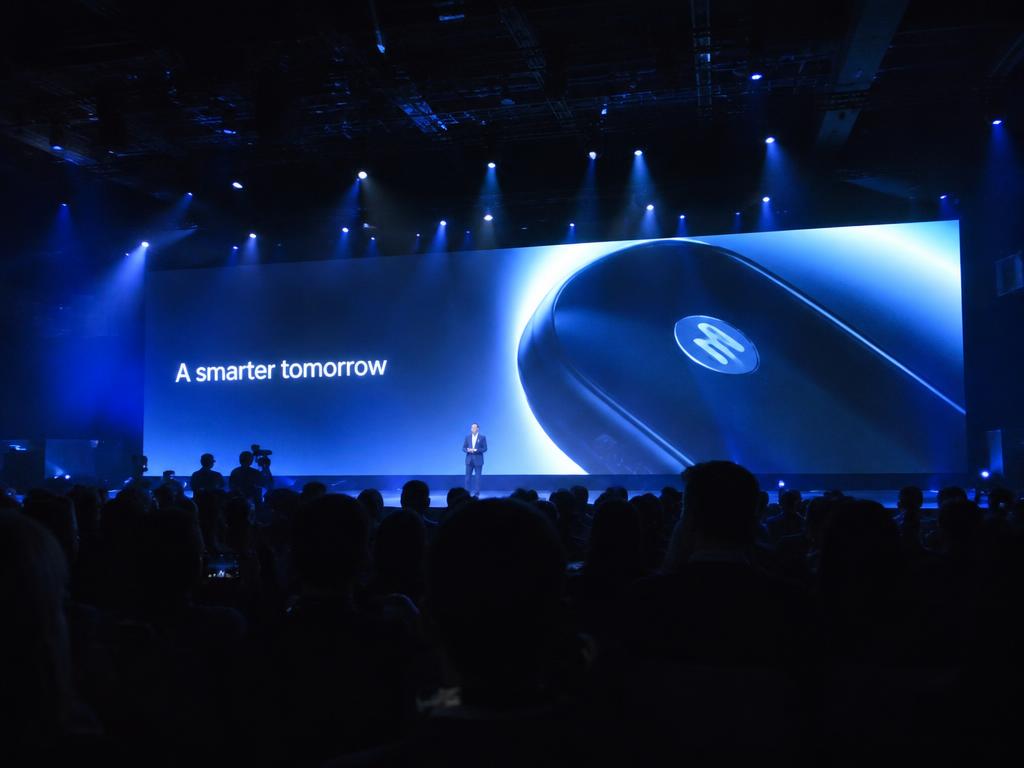
What an LED wall is for
An LED wall on an exhibition stand does one of two jobs, and it is worth deciding which before specifying anything. Either it is a bright surface that makes the stand visible from across the hall, or it is a screen that communicates something specific to someone standing in front of it. Those two jobs want different sizes, different positions and completely different content.
Most disappointing installations are disappointing because they were specified for the first job and briefed for the second. A nine-square-metre wall carrying a three-minute corporate film with subtitles is a bright rectangle that nobody watches. The same wall carrying a simple, high-contrast loop does the visibility job properly.
There is a third reason exhibitors buy LED, which is that it replaces printed graphics with something changeable. That is genuinely useful for a stand that appears at several shows with different messages, and it is a better argument for LED than novelty.
Pixel pitch, in plain terms
Pixel pitch is the distance between the centres of adjacent LEDs, quoted in millimetres. A P3 panel has three millimetres between pixels. Smaller numbers mean more pixels in the same area, a sharper image and a higher price.
The only question that matters on a stand is how close the viewer will be. Below a certain distance the eye resolves the individual pixels and the image breaks into dots; beyond it the image looks continuous. For exhibition stands, where visitors stand within a couple of metres of the screen, indoor panels in the P2.5 to P3.9 range are the usual answer.
Going finer than that on a stand is mostly wasted money, because the content is rarely detailed enough to benefit. Going coarser is noticeable the moment someone walks up to the wall, which on a stand they always do.
| Pitch | Suits | Typical use on a stand |
|---|---|---|
| P1.8 and finer | Very close viewing, under a metre | A reception backdrop or a product detail screen |
| P2.5 | Close viewing, one to two metres | The default for a stand wall visitors walk up to |
| P3 to P3.9 | Two to four metres | A larger wall viewed from inside the stand and the aisle |
| P4 to P6 | Four metres and beyond | A hall-facing banner screen on a large stand |
| Coarser than P6 | Long viewing distances only | Rarely appropriate inside an exhibition stand |
Pitch choice follows viewing distance, not stand size. Measure the shortest distance at which a visitor will stand in front of the wall and specify for that, because that is where any shortfall will be obvious.
Sizing the wall and the content together
LED panels come in fixed cabinet sizes, so a wall is assembled in whole cabinets and the final dimensions are a multiple of those. That has a practical consequence: the aspect ratio of your wall will almost never be a standard video ratio, and content produced at sixteen by nine will either letterbox or crop.
Design the content to the actual pixel dimensions of the assembled wall. Get those dimensions from the AV supplier at the specification stage, not after fabrication, and brief whoever makes the content with the real number. This single step removes the most common and most visible LED failure on a stand.
Height matters as much as area. A wall whose bottom edge starts at floor level loses its lower third behind the people standing in front of it. Lifting the bottom edge above head height keeps the whole image visible from the aisle, which is where the visibility job is done.
- Get the assembled wall's pixel dimensions before content production starts
- Lift the bottom edge above head height if the wall faces the aisle
- Keep text large, high-contrast and legible at a glance
- Design for no sound — the hall will be too loud to hear anything subtle
- Build the loop short, so a passing visitor sees a whole idea
- Avoid fine detail, thin typefaces and low-contrast gradients
- Give the loop a clean start, since it will be seen from a random point
- Supply a static fallback frame in case the player fails
Power, heat and structure
LED walls draw real power and shed real heat, and both have to be in the plan rather than discovered on site. The electrical load has to be inside the sanction you requested from the organiser, which means the request has to include the wall. Adding a wall after the load sanction is submitted is a conversation with the organiser, not a conversation with your fabricator.
Structurally, a wall has to be supported and the support has to be designed. A ground-stacked wall needs a stable base and a clear line to a power supply and a signal source. A flown wall needs rigging points the venue actually has, and permission to use them. The heat the wall produces also matters in a closed stand; a meeting area directly behind an LED wall gets warm.
- Include the wall in the electrical load request to the organiser
- Confirm whether the wall is ground-stacked or flown, and whether rigging exists
- Design the supporting structure as part of the stand, not as an add-on
- Leave service access behind the wall for the processor and cabling
- Plan air movement behind and above the wall
- Route power and signal cable inside the platform or wall cavity
- Specify a spare cabinet and a spare power supply on site
- Agree who the technician is and which hours they are on the stand
Exhibiting soon? Let's build your stall.
LED, projection or print?
LED is not automatically the right answer. For a large graphic that never changes, print is sharper, cheaper, draws no power and cannot fail. For a big surface treated as a canvas, projection can cover more area for less money, provided the ambient light is controlled. LED wins where you need brightness in a bright hall and content that changes.
The comparison below is the one worth having at the specification stage, before a wall gets into the design and becomes difficult to remove.
| LED wall | Projection | Printed graphic | |
|---|---|---|---|
| Brightness in a lit hall | Strong | Needs controlled light | Depends on stand lighting |
| Content changeable | Yes, any time | Yes | No — reprint required |
| Failure risk during the show | Low, with a technician and spares | Moderate — lamp, alignment, ambient light | None |
| Electrical load | Significant | Moderate | Lighting only |
| Structural demand | Real — support or rigging | Mounting points and throw distance | Minimal |
| Best used for | A bright, changing hero surface | Large textured or shaped surfaces | A fixed message at full sharpness |
| Worst used for | Long films with small text | Brightly lit open stands | Anything that changes between shows |
Briefing content that works in a hall
Exhibition halls are loud, bright and full of people walking. Content made for a boardroom fails in all three conditions. What works is short, silent, high-contrast and repetitive — closer to signage than to film.
A useful test before the show: play the loop on a laptop, stand four metres away, look at it for three seconds and look away. If you can say what it was about, it will work in the hall. If you cannot, no amount of pixel pitch will fix it.
If the stand also needs to show detailed material — a product walkthrough, a technical sequence, a long film — put that on a smaller screen inside the stand where someone is standing still, and keep the big wall for the glance.
A hall-facing wall is read in three seconds from four metres away. Brief it as signage, not as a film.
What to agree with the AV supplier
LED on a stand involves at least three parties — you, the fabricator and the AV supplier — and the gaps between them are where problems live. Agree these points in writing before build-up, and name who is responsible for each.
- The exact assembled wall size in cabinets and in pixels
- The pitch, and the closest viewing distance it was chosen for
- Who builds the supporting structure, and to what tolerance
- The power requirement, and whose load sanction it sits under
- Who supplies the processor, the player and the content file
- The format, resolution and frame rate the content must be delivered in
- Whether a technician is on the stand, and for which hours
- What spares are on site, and the response time if a cabinet fails
- Who dismantles the wall, and at what point in the dismantle sequence
Exhibiting soon? Let's build your stall.